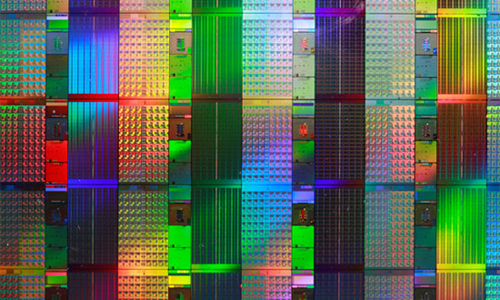
Fluctuating prices of Flash Memory – Commodity or a Scam?

Hello again folks.

Today I am going to talk about something that makes our sector of the promotional industry different from every other. Unlike pens, hi-liters, rulers, letter openers, and other throw-away items, USB drives are always on the move. Where the former have had the same pricing since the dawn of time, USB pricing is always fluctuating. NAND Flash Memory chips and USB Controllers, (the guts of a USB drive) are a commodity available in many grades and subject to the same set of rules as wheat, corn, even gold. Chips are cut from silicon which is a fluctuating commodity in and of itself. They are also born of various chemical compounds, both natural and synthetic. Like any natural and refined resource, there will be times when essential components are scarce. Whether this is a legitimate lack of supply, or generated we will never know, but nevertheless it affects us, the consumer, in the end. And, just like the big oil companies, the big players in flash memory manufacturing, (Samsung, Toshiba, Hynix, Micron) control the market.

Now, granted our friends in the “cheapie” side of promotional items have their fluctuation problems too, but when was the last big jump PLASTIC took? I can remember the great “glow-in-the-dark” ink price hike of ’89 that drove HiLiter prices so high that office managers everywhere were rationing them out like gold coins. Just kidding, folks. Can you sense the sarcasm? My point is, the only change you will see on that side of the industry is good old inflation. Not so in our neck of the woods. Welcome to the land of USB.

The Ugly Truth

Well, as I write this today, we are in the throes of yet another NAND Flash Memory price increase. Once again, I have to reach out to my potential customers and explain how the price I quoted them not three days ago, (sometimes it’s a daily occurrence) can no longer be honored. Even though we only saw a small increase today (about 3%), it is never easy to tell a customer that prices have gone up. I find myself sounding like a broken record.

You see, when I started in this business, things went the opposite way. Back in ’06 prices were ridiculously high for USB drives, being a relatively new form of media storage. A 64Mb drive would cost upwards of $15.00 a pop for orders of 100 units or more, and a 1gb drive….FUGHEDABOUDIT! As time passed into 2007 and 2008, and as technology and storage capacity needs increased, we saw prices start to fall. The smaller capacities were becoming obsolete in the retail sector and the promotional USB business was really starting to grow. By the end of 2008, Flash Memory prices were at an all time low and the big manufacturers were pumping out flash chips in record numbers. By the beginning of 2009, the price of a 64Mb flash drive was about $4.00 for a 100 unit order, customized with a logo imprint, data preloading, shipping, the works. Needless to say, this was quite a busy time for us and as a salesman I was finding it quite easy to fulfill my monthly quota. Then something happened…

2nd quarter, 2009. News on the wire came whispering about a big deal in the works. A deal that could turn our industry on its head. News was also beginning to trickle in about BIG-TIME losses by the big three flash memory manufacturers. The “good days”, it seemed, were going to come to an end. In a time where the economy is covered in gooey bandages and slimy with topical antibiotics, things were going to get that much harder.

By the end of June of this year, we were already seeing minute increases of about 3-5% on a bi-weekly basis. Although it is not a pleasant call to make, it is not hard to justify a $.20 per unit increase in a fluctuating, commodity-based market. So, we made do and things in the business were still looking bright. Then, the big hit.

In the first week of July, the news hit that Apple had made a substantial purchase of NAND Flash Memory for the new 16Gb I-phone they would be releasing. The numbers were staggering. A purchase of nearly $500,000,000.00 in flash memory hit the industry like a ton of bricks. Toshiba was the big winner here, but it did not take long for Samsung and Hynix to follow suit in what would be, literally, and overnight price increase of almost 30% for the promotional USB industry.

Now, try and call your customer on Monday morning to tell them that you can longer honor a price on the Purchase Order they had faxed over the weekend. Just tell them, sorry, but I have to charge you an extra $1.25 PER UNIT and there is nothing I can do about it. When we are talking about these kinds of significant numbers, people tend to get a little annoyed. Many sales were stalled or lost, and many customers left to run the risks of purchasing down-graded flash and refurbished garbage in order to stay within budget. And so we forged ahead and as the dust settled, we were able to stabilize, and angry customers slowly calmed into the realization that this was “just the way it is”. Things were good for about two weeks and then, as sure as a rain cloud brings thunder, the prices started to increase again.

By the beginning of August, the “5% creep” began again and we started seeing articles about how flash memory manufacturers were reporting tremendous losses for 2008. So, what do you do when you are a multi-billion dollar company providing much-needed technology to the masses and bleeding money like a stuck pig? You do what you should have done a year ago: Put a strangle-hold on a market that demands high quality products and can only get it from yourself and a select few others. You stop manufacturing flash memory chips that are in much lower demand than the 50,000,000 chips that Apple pre-paid for for their next record-setting year. Set the market at whatever price you want. Create an increasing demand by hoarding inventory and releasing much needed products on the market slowly. Scorn the very industry that created demand for flash memory before the advent of the i-phone and back when the i-pod was an unaffordable gadget.

Yes, people, I am bitter. The promotional USB industry has been pushed aside like a red-headed stepchild by the flash memory manufacturers. How easily large corporations forget the sectors that helped them through hard times. flash memory has many applications besides USB and SD cards. They are used in today’s most popular devices: MP3 players, I-pods, I-phones, Smart Phones, and the like. As these devices became more affordable to the general public, the demand for higher capacity flash memory grew. Suddenly, the promotional USB sector was not the big sell anymore. And so, as it goes, we have fallen to the wayside and are subject to the bullying of price gouging, or whatever you want to call it.

In conclusion, I guess my point is this: Price fluctuations in the custom/promotional USB industry is NOT a ploy to increase profits. At least, not by the manufacturers and resellers of USB products. Computer memory of any kind is most definitely a commodity and subject to all of the same rules of supply and demand that wheat, corn, and gold are. So, if you are in the bidding process with several companies and you receive a call saying: ” Bob, I sincerely apologize, but we can no longer honor last week’s quote”, do not be angry. Do not be alarmed. No one is trying to pull the wool over your eyes, or even worse (insert imaginative expletive here). This is just the way things are in our world and stability is a luxury we see very seldom. This article should in no way sway you in your decision to purchase USB as a promotional tool. No matter the price, customized USB drives’ value far outweighs that of any other medium. If you break it down over time, they are still the best value and most reliable form of branding around.

Until next time……as always, thanks for reading my rant.
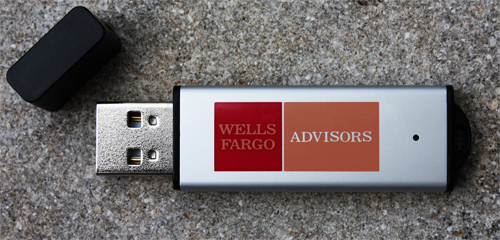
Wells Fargo Orders Again

Wells Fargo Drive

We got yet another large order from Wells Fargo in today. This time they went with our DH style drive. This sleek, compact little drive is extremely durable and portable. They have also opted to use our data pre-loading service to save some much needed capital. By distributing most of their written materials for office staff on the drives rather than printing large amounts of paper booklets, they are saving approximately 30% over the cost of printing.

In the quest for a greener work environment you too can end up saving capital by using Flash Drives and being a player in the ever-growing, eco-friendly business environment. Using flash drives to distribute data, whether inter-office, or to potential customers, is an excellent way to both save money AND help the environment. Less trees need to be cut down, less strain on our recycling companies, and the best part is: All of our drives are ROHS compliant, free of Lead, Cadium, and other harmful chemicals. If you have any experience in printed materials, then you know how much printing a 100-page training manual can become. It gets me fuming when I think of how disposable these become because the only value it has is the value that employee places upon the company it represents. I know this seems a little harsh, but this is the real world and most people hate their jobs. So, why not give your employee an added incentive, a bonus if you will, to reading that manual and placing more value to it by offering them a “gift” along with it? Plus, flash drives are more likely to get lost than thrown away, unlike printed materials that have to be tossed or recycled at the end of each quarter. But, what about the data on the drive? What if someone decides that they don’t need it anymore and want to delete it? Well, there is a solution for that, too!

Our Permanent Content service can secure any data from deletion or manipulation. By creating a partition on the flash drive, we essentially split the drive into to parts. the first part, which acts as a CD or DVD will contain data that is to be protected, and the remaining part of the drive still acts as a storage device. For example: If you had an employee training manual you wanted on a customized flash drive and still allow your employees to save pertinent paperwork, spreadsheets, etc. onto that same drive, you would choose the Permanent Content service. Say you decide to go with a 1Gb drive imprinted with your company logo and you want to upload a manual of approx. 50Mb. The 50Mb document will be safely paritioned to one side of the drive while you would still have 995Mb worth of storage space. When you plug in the drive, the computer will actually recognize it as two devices, another way to guarantee that important material is seen properly.

Any way you slice it, customized, pre-loaded USB drives are a cost-effective and just-plain-effective way to distribute data of any kind. Folks, don’t just look at the inital investment you would have to make. Unlike the vast majority of people, you need to LOOK TO THE FUTURE. Long-term. The $5, or $7, or even $15 you may spend on a customized flash drive today could end up costing you pennies in the long run!

A view on marketing – Promotional USB’s are always a hit!

Hello World.

My name is Ian Richards and I am account executive here at USBMemoryDirect. My co-worker Nicholas has started this blog to help explain some of the technical issues related to USB and to help educate you, the consumer about what to look out for. I am not nearly as technically savvy as my cohort, but what I do know is marketing.

This section of our site will be dedicated to the sales & marketing side of the promotional USB industry. I will focus on many of the issues that we, and the consumer will face in making purchases of custom USB drives.

My skewed view on marketing

Anyone who owns a business, from the smallest Mom & Pop to the largest corporation, knows the value of marketing and branding. It is the necessary and sometimes costly burden we must all bear in order to get our products and services noticed. I am still a firm believer of customer satisfaction and good old “word-of-mouth”, but how do we generate that first influx of business?

Well, there is always print advertising, but in my opinion, print is outdated and archaic. Besides, with the progress of blog sites and the saturation of consumer review sites on the internet, who cares about some pretty picture in your local weekly. Plus, you could never gauge if it is actually generating business for you. Most rags charge way too much for what they offer anyways.

Next, there is radio and television and if you are a small start-up you can forget about that route. Even the loneliest spots at the most ridiculous hours of the day are way more than our budget will allow. And who wants to pay for a 30 second spot at 4am on a Wednesday morning on some local Hip Hop station? You could always pay thousands of dollars to produce and air an extremely cheap-looking commercial on your local cable network in between reruns of Seinfeld & Pimp my Ride. Unless you have big corporate money and are airing high quality commercials on major networks during prime times, most likely you are getting “flipped” by the average consumer. You are better off sending mass emails about free Viagra.

That takes me to email blasting and direct mailing. The former was big in the early 2000’s, but with so many people logging on and connectivity becoming mobile, SPAM has become as much of a nuisance as junk mail. Out of 200 emails I receive weekly, maybe 15 of them are actually pertinent to my life. Direct mailing is another archaic form of marketing that is still breathing (albeit, on a respirator). Who wouldn’t want to throw away hundreds of dollars into apartment complex trash cans, right? I know that is MY goal in business. Two forms of advertising that the old school still believes in and which I wouldn’t spend my hard-earned money on even if I had money to burn.

So, how about internet marketing? Banners on websites? I still believe this CAN be a viable and successful way to market your business, however, websites have become so greedy over the years that this form of advertising has become more expensive than it’s worth. Sure, you can still afford a banner on the smaller sites like www.catsocks.com, but again, I don’t think any of us are in the position to be throwing money out the window. Our only other option is pay-per-click advertising and search engine optimization. The infamous pay-per-click is ridiculously expensive and risky to use, but at least you can somewhat track results unlike all other forms of marketing. P-P-C can work as long as you don’t mind getting 100’s of email requests from johnnylikesto69@gmail.com among your legitimate ones. Search engine optimization is the best bet by far, but you need to hire a very savvy SEO guru (the good ones are not cheap), and pay them for countless hours of doing whatever it is they do to get your ranking to the top of a natural search. Depending on your industry (and your budget), this could take months or even years to accomplish. Hell, who has that kind of time anymore? We are all in it for the fast buck, the quick fix, right? Is this even realistic? I don’t think so, but I do believe there is one form of marketing that can make a more lasting impression on a more intimate basis.

Promotional items are, in my opinion, the best marketing tool to use in growing a business from the ground up. It is also the most excellent branding tool out there for the large corporations, as well. You know we all have a Coca-Cola Coozie laying around our house. Creating VALUE to your potential customers by offering them something TANGIBLE. Giving away an item branded with your company name,contact, and in the case of USB’s, LOADED WITH PERTINENT COMPANY INFORMATION is the most effective form of one-on-one, perpetual branding I can think of. Now, obviously there are different levels of promotional items you can hand out, some more useful than others. On the cheap end are the ever-present, branded disposable pens. These novelties were cute back in the day, but have become the calling card of Doctor’s offices and Air Conditioning repair companies. Notoriously inexpensive and even more notoriously thrown away, pens still have life in the industry and are a popular, and cheap branding item. Do they work? Maybe for some, but I question their LONGEVITY. I for one, cannot stand these as promotional items. I can’t tell you how many times I have thrown away some cheap pen that dies on me after the first or second use. And to say that I actually read the print that is wrapping around the thing and say to myself: “Wow! This company really gave me something so valuable that it make me want to purchase their goods and services!” would be a LIE. More times than not it ends up in the one place it belongs: The trash. Let’s move on to the 100’s of NEW, ridiculously cheap, useless items we can collect at the next trade show:

Lanyards – These are OK, but honestly, how many applications in YOUR life do these serve except hanging on a hook with the other 500 you have collected over the years

Office Doohickeys – Rulers, Letter Openers, Paperweights, and HiLiters that look like space-ships. Just more stuff to fill your waste basket with if you ask me.

Post-it Notes – Not bad, Mr. promotional- inventor- guru- guy. Too bad they go away pretty quickly.

T-Shirts – OK, I really can’t say anything bad about these. T-shirts are still a great way to go, but they are NOT cheap for a nice one, but who would EVER want to put their brand on something cheap-looking?

Apparently, there are A LOT of companies who would. I could go on and on about the 1000’s of cheapo promotional items that can have your company logo slapped on it, but that would needlessly shorten my life. This leads me to the reason I am writing this long-winded rant. The reason I got into this business in the first place: Promotional USB Drives.

The first time I saw one of these was in 2006 at a trade show in Las Vegas. I was in a totally different industry then which was notorious for handing out tons of useless crap. Although my grandmother LOVES having all of the pens to keep in her desk for her crosswords, if it wasn’t for her I wouldn’t grab the first one. Anyways, there was this huge gaggle of people crowded around a non-descript booth and of course, I had to see what the fuss was about.

The company was giving away 256Mb flash drives (which, at the time was a pretty significant amount of storage) with their company logo printed on the outside of it. People couldn’t get these in their hands’ quick enough. I was one of the last to receive one and I stuck around after the dust had settled because I was so intrigued that I was handed such a valuable piece of technology for FREE. Back in a time when a 256Mb drive cost upwards of $15.00, (nowadays you can get one custom-printed for less than half that price) I was blown away at the value the owner placed on it. People at the show were buzzing about the “company that is giving away flash drives”. I will tell you this: EVERYONE at that show knew the name Adaptive Technologies before the end of the first day. The only regret that the company’s owner had was that he could not afford to print anymore. To this day, I still have that flash drive in my posession. Although it no longer gets much use with data storage increasing by the minute, I still used it for well over a year.

So, I started doing some research on the web about these wonderful new promotional tools and found that there were actually a few companies out there doing it. I had such a strong belief in these items, that I contacted one that was actually local to my area, USBMemoryDirect. Being in sales my entire life, and having been so intrigues and captivated by these USB’s, I spoke to the owner about bringing me on to head up his one-man sales force. The rest, as they say, is history. USBMemoryDirect has since grown over 200% in three short years even amidst an ever-growing market saturated with third-party resellers, USB pirates, and those who think they can break into the market by providing inferior products for the lowest price .

I appreciate everyone who has read this very long, and detailed post. In my next post I will get into some of the stats and fucntionality of these awesome little giveaways. I will also share some insider information that most companies do not want you to know when purchasing customized USB’s. Until next, time…

-In sales, there is no such thing as a stupid question

Recovering Broken, Unformattable, and Ghost USB Flash Drives

EDIT: This information is very out of date at this point. Beware of following this guide on modern systems. As some commenters have mentioned there are better ways of going about recovering Flash drives at this point. Check out Ben’s comment in particular about Chip Genius, the tool is very useful to ascertain what controllers/NAND you are working with.

Welcome again. Today I am going to provide a helpful guide to recover broken USB drives, ghost drives, and drives unable to be formatted. If you are asking questions like “I can’t format my usb drive! Whats wrong?”, you may want to read on.

This guide will also aid in the recover of ghost drives and return the flash drive to it’s actual capacity.

Check to see if your drive exhibits any of these behaviors:

  • Windows says “Unrecognized USB device”
  • You cannot format your USB drive. The format utility also displays a capacity of 8mb no matter the size of your drive.
  • Your drive status light flashes but nothing happens on the OS.
  • Your drive shows up, but when you try to write, it crashes and disappears.
  • Generally, your drive is not functioning correctly.

WARNING: Before you continue with this guide, be aware that, although highly unlikely, using some of the programs in this guide could possibly destroy the physical controller unit on your drive. Only proceed if this is a last resort. I TAKE NO RESPONSIBILITY FOR IRREPARABLE DAMAGE OR LOST DATA.

First of all, a USB flash drive is comprised of two main parts – the Controller and the NAND Flash Chip. This guide is going to explain the use of a program which accesses the controller unit directly to complete formats and recoveries.

NOTE: Since this program accesses the controller unit on your flash chip, I have included 2 programs that do the same thing. Each program has a list of controller access codes. Depending on your controller, one of these access codes may or may not work.

Lets get started!

Step 1

Download the program package and extract it. You will see the programs labeled prog1 and prog2.

Step 2

Remove all your USB Flash Drives. Once you have your drives out, start up ONLY ONE program. Don’t open both! This will cause some serious system related issues.

For prog1, click the lightbulb icon. For prog2, click umptool2090.exe. Once open, both of these programs should look extremely similar.

Step 3

Plug your broken flash drive in. If you do not see the flash drive appear on the program screen or you see “UNKNOWN FLASH”, try the other program.

NOTE: If both fail to recognize your flash, unfortunately you will have to continue your search for an answer.

Step 4

When you have your drive plugged in and it is recognized by our program, click start. No other setup is required. I have preset everything to return your device to it’s original state.

WARNING: If you continuously format your drives, THEY WILL BREAK! Prog2 is notorious for breaking drives. Expect a 15%-20% fail rate. Again, I have set prog2 to minimize this as beast I could, down to ~5%.

If you would like to poke around in the settings panel, there are a lot of interesting features. One that I would suggest is “Information Tab” for prog1, and “Vendor Settings” for prog2. This controls the vendor name information which shows up on the taskbar info bubble, a cool feature to show off to your friends. Other than that, I leave it up to you to figure out the settings AT YOUR OWN RISK. Remember, the more you run the drives through the program, the greater the chance they will break.

NOTE: In program 1, you will be prompted with a password box when you click settings. Leave it blank and hit OK. If it does not allow you access, you can check the .INI file in the root directory for the password if it got changed for some reason.

If you have any questions or would like additional controller codes for prog2, leave a comment and I will respond to you. You may also leave your email addy if you would like me to respond directly to you as well as in the comment thread.

UPDATE #1

I have gotten my hands on an updated version of the programs which can be found here. All the programs have again been optimized for successfully recovering your USB drives. A few notes though:

  • The “No Loader ISO” error is gone.
  • Changing settings requires a password and the password is blank, just hit okay.
  • Make sure you run the programs as administrator.
  • Do not proceed unless “Flash Type” shows some information. “UNKNOWN_FLASH” means the program won’t work, so don’t try it if it says this.
  • I provide no warranty. By using the programs you agree not to hold me or this blog liable for damages.

Furthermore I will get to all the comments as soon as possible, I know it has been a while, holidays have me busy.

Happy Holidays 🙂

NAND Flash Chip Grades Explained

Nand Flash Waffer
Today I will touch back on the subject of bad flash drives. You may have heard some people talking about flash chip grades or tier 1/2/3 chips. Formally there are three grades for flash chips A, B, and C and unofficially D. All flash chips start their life on a silicon wafer and are cut from this wafer. Chips that have not passed quality control are pushed aside automatically by the machine cutting the wafer. The different sections of the wafer

Grade A

Also known as tier 1 flash chips are the best chips available. Grade A chips have the manufacturers name and serial number laser etched on the the flash chip. Samsung and Hynix are the largest producers of Grade A flash. These chips will have a consistently low rate of errors, be much faster than other grades, and last you much longer. Vendors offering these chips will more often than not provide a lifetime warranty on the product.

Seeing that these are the chips we use for our wholesale flash drive orders all come with lifetime replacement warranties.

Grade B

These chips are as reliable as Grade A but do not have the etched serial and name from the manufacturer. Both Grade A and B chips are reliable and have low failure rates.

Now to the lower end products. Stores offering these will never provide any type of warranty on their products seeing that failure is guaranteed.

Grade C

Coming back to the silicon wafer there are two parts that are discarded by the original manufacturers. The portions that have not passed QC and the edges of the wafer. Second hand after market vendors will purchase these parts of the wafer from reputable vendors and resell them to end users. These Grade C chips have a 30% – 40% rate of failure. On rare occasion they can cause system instability, depending on the state of the flash and how the computer is reading/writing data.

Grade D

These are hard to find to be honest but if found beware. Some sly vendors have a laser they use to etch things with… anything. These vendors will purchase some Grade C chips and laser etch them with Samsung’s or Hynix’s name and serial number and pass them off as the real deal. Failure rates are the same as Grade C but you will be tricked into paying premium prices for these units. Most of these vendors are located in China.

Buyers Guide (list of helpful tips):

  • Do not choose a foreign vendor who has a price lower than the rest of the market place.
  • Beware all vendors who do not offer you a warranty. If they use Grade A why would they not offer a warranty. If there is no warranty you are most likely being sold cheaper lower grade chips
  • Always inquire about the quality of the products. If a sales rep sounds hesitant it may be best to go with someone else.

Welcome to USBtalk.

Hello world,

My name is Nicholas Moller, from here on out nick, and I am the senior IT administrator and programer at USB Memory Direct. I started this blog to talk about all the cool things that pass through the office and my head during the day as well as my hobbies; photography, programming, and the human mind.

I have noticed a lot of people do not really know much about what they are getting when it comes to usb drives. So I have decided to talk a little bit about the different types of products you can find on the market.

Fake Flash Drives or Ghost Drives

First an foremost the infamous ghost/fake drives that are plaguing the market. A ghost drive is a flash drive that reports a false capacity, this is done purposely by the manufacturers. Manufacturers can program the controller chip to report a high capacity than what the device really is. So when you plug it in and view the drive properties it will say it is 2gb but the actual chip is only 512mb.

Once a ghost drive is filled up you won’t be able to put anymore data onto the device although your operating system will continue to try, since the device is reporting only 25% of its space is used. This behavior will result in data loss and potential system instability.

If you come across a price that seems to good to be true it most likely is. Exercise caution when purchasing from unknown vendors promising ridiculously low prices compared to the rest of the marketplace.

Detecting Ghost Drives

There is a simple program called H2testw which will fill your drive with sample data then check to see if it stored correctly.

  1. Download H2testw here
  2. Extract and open the program
  3. Select English as the language
  4. Select your target device by it’s drive letter from the My Computer submenu
  5. Hit Write + Verify

A good ouput should look like this:

Test finished without errors.
You can now delete the test files *.h2w or verify them again.
Writing speed: 5.38 MByte/s
Reading speed: 15.7 MByte/s
H2testw v1.4

A bad output would look something like this:

Warning: Only 374 of 496 MByte tested.
The media is likely to be defective.
0 KByte OK (0 sectors)
374 MByte DATA LOST (765952 sectors)
Details:0 KByte overwritten (0 sectors)
0 KByte slightly changed (< 8 bit/sector, 0 sectors)
374 MByte corrupted (765952 sectors)
0 KByte aliased memory (0 sectors)
First error at offset: 0x0000000000000000
Expected: 0x0000000000000000
Found: 0x00020000ff3f0000
H2testw version 1.3
Writing speed: 16.5 MByte/s
Reading speed: 11.8 MByte/s
H2testw v1.4
  • Massive write speeds, higher than the read speeds, means you are not actually putting info onto the usb.

H2testw is capable of detecting other errors but I won’t be getting into them today.

  • Remember a great price does not mean a great buy always get the best value not price. Most low priced vendors use tricks like this to reduce their cost.
  • We provide lifetime replacement warranties on all orders. Vendors who will not do they same should be avoided.

Hope this is helpful for some of you out there. I will continue next week with different chip grades.